Compliance
Texted Receipts
How Zerobeat collects consent and delivers one-time SMS receipts at the point of sale.
Zerobeat delivers one-time transactional SMS receipts after a completed purchase.
After payment is approved at a Zerobeat point-of-sale system, the customer is presented with a dedicated “Text Receipt” screen within the POS application.
The customer must actively initiate the process by tapping “Text Receipt,” entering their mobile phone number, and reviewing an on-screen disclosure before submitting their request.
By tapping “Send,” the customer explicitly consents to receive a single SMS receipt for that specific transaction.
Messages are strictly transactional, non-marketing, and tied directly to a completed purchase. Only one SMS is sent per transaction.
Contact: support@zerobeat.io · Zerobeat Inc., Delaware, United States
Opt-in at the Point of Sale
Opt-in is collected at the point of sale:
- Customers are prompted on a customer-facing device after checkout and tap Text Receipt to request a texted receipt.
- They enter their phone number after actively selecting Text Receipt.
- Submission of the phone number constitutes consent to receive a one-time transactional message.
- Consent language is displayed directly beneath the phone number input before submission.
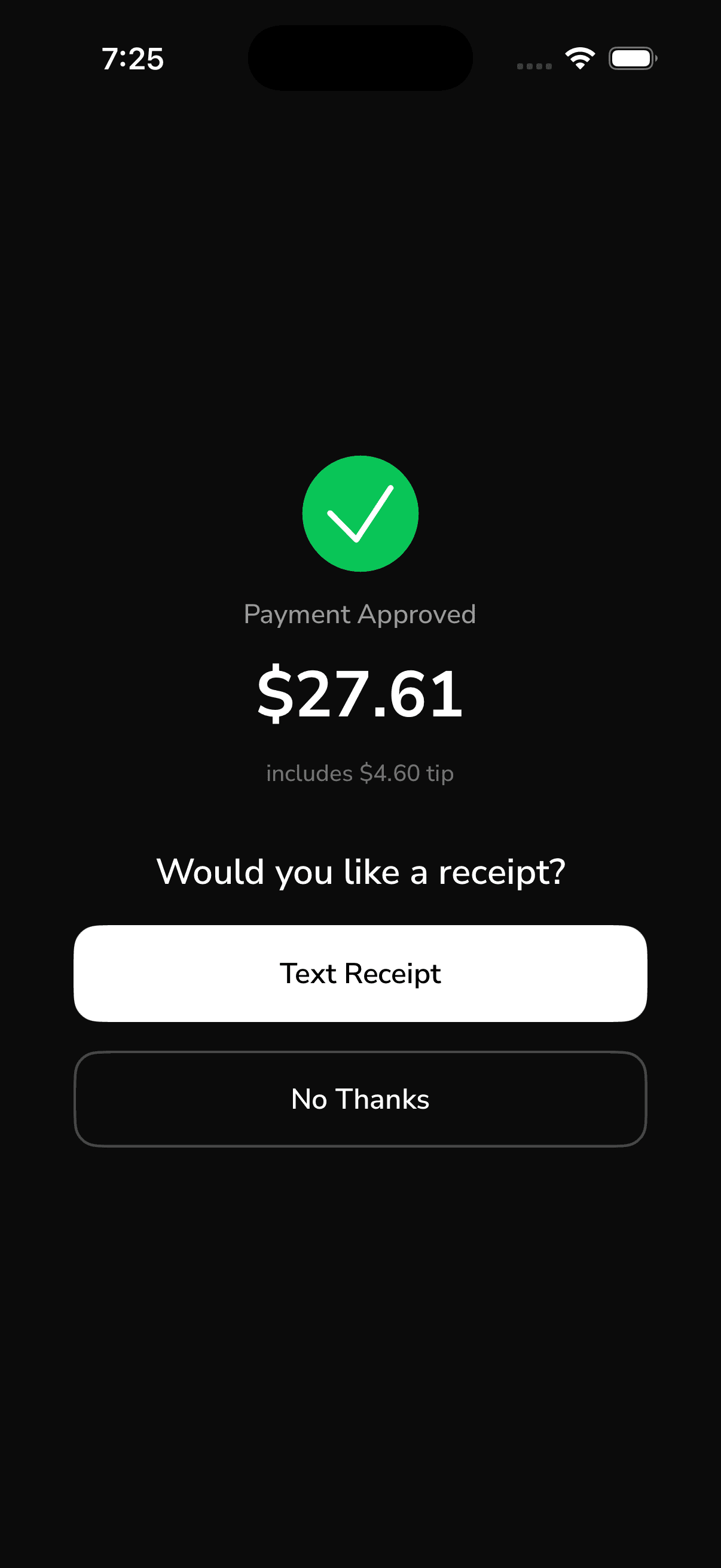
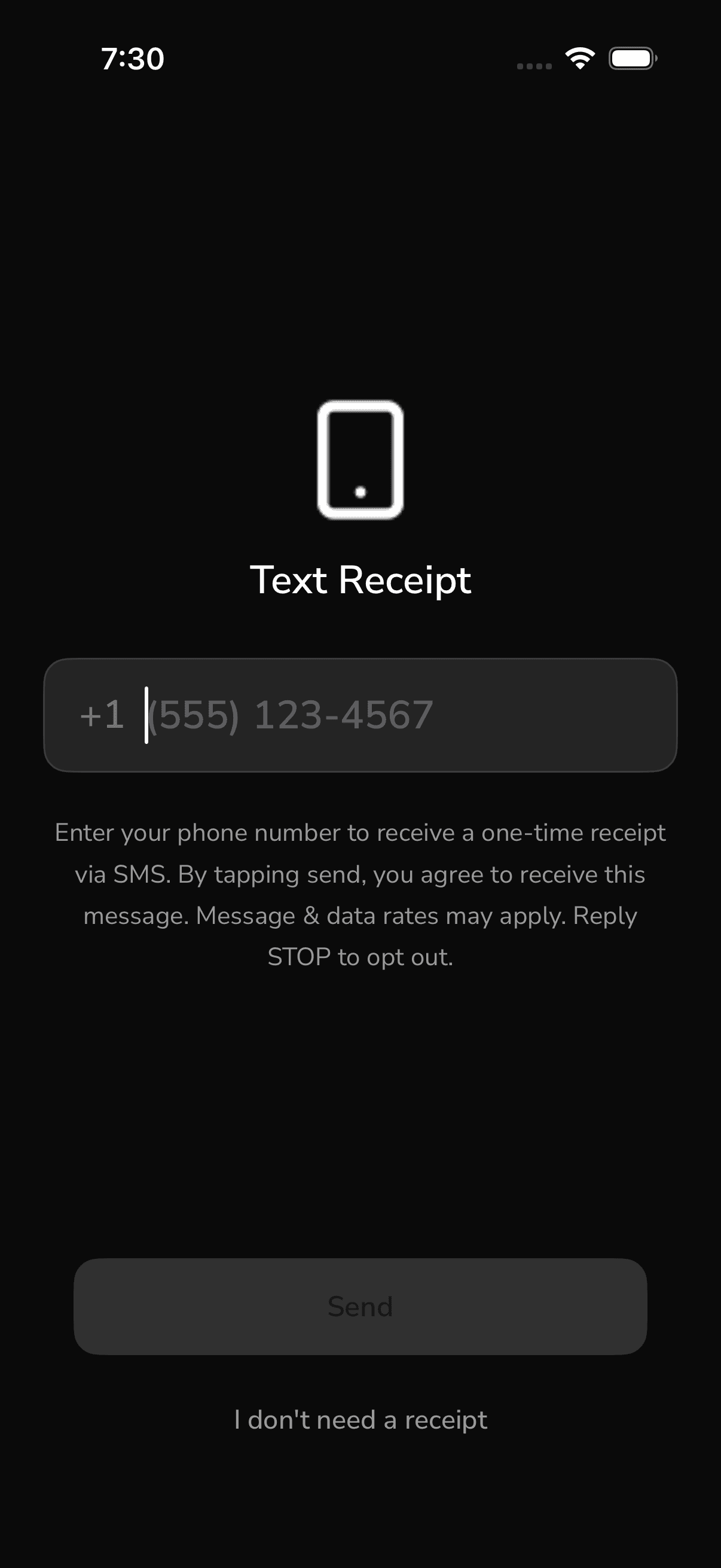
Consent Language Shown to the Customer
No phone number is requested or captured unless the customer first taps Text Receipt. The Send button submits both the number and the customer’s consent to receive the transactional message.
What Zerobeat Sends
- Transactional only: A single receipt message per transaction containing the merchant, amount, and a link or summary of the purchase.
- No marketing: Zerobeat does not send promotional, marketing, or recurring messages through this opt-in.
- Frequency: One message per transaction.
- Carrier disclosure: Message and data rates may apply.
This program sends only single, one-time transactional messages. It does not support recurring messaging.
Opt-out and Help
- Recipients can reply STOP at any time to opt out of future messages from Zerobeat.
- Recipients can reply HELP for assistance or contact support@zerobeat.io.
- STOP requests are honored immediately. A subsequent opt-in is required before any further message can be sent to that number.
How Phone Numbers Are Handled
- Phone numbers are used solely to deliver the requested transactional receipt.
- Zerobeat does not sell, rent, or share phone numbers with third parties for any purpose unrelated to message delivery.
- Phone numbers are retained only as long as necessary to deliver the receipt, honor opt-out requests, and meet legal obligations.
- See our Privacy Policy and Terms of Service for additional details.
Contact
Questions about Zerobeat’s SMS program can be directed to support@zerobeat.io.